Creating flows
eventcatalog@2.5.0Flows live in a /flows folder. This folder can be placed:
- At the root of your catalog
/flows/{Flow Name}/index.mdxThe contents are split into two sections, frontmatter and the markdown content.
Here is an example of what a flow file may look like.
---
id: "CancelSubscription"
name: "User Cancels Subscription"
version: "0.0.1"
summary: "Flow for when a user has cancelled a subscription"
steps:
  - id: "cancel_subscription_initiated"
    title: "Cancels Subscription"
    summary: "User cancels their subscription"
    # define the actor for, in this case it's a user.
    actor:
      name: "User"
    # What happens next? Define the next step
    next_step:
      id: "cancel_subscription_request"
      label: "Initiate subscription cancellation"

  - id: "cancel_subscription_request"
    title: "Cancel Subscription"
    # This step is a message, include the message and version
    message:
      id: "CancelSubscription"
      version: "0.0.1"
    next_step:
      id: "subscription_service"
      label: "Proceed to subscription service"

  - id: "stripe_integration"
    title: "Stripe"
    # This is an external system (e.g Stripe)
    externalSystem:
      name: "Stripe"
      summary: "3rd party payment system"
      url: "https://stripe.com/"
    next_step:
      id: "subscription_service"
      label: "Return to subscription service"

  - id: "subscription_service"
    title: "Subscription Service"
    # This node is a service, include that.
    service:
      id: "SubscriptionService"
      version: "0.0.1"
    # Define multiple steps
    next_steps:
      - id: "stripe_integration"
        label: "Cancel subscription via Stripe"
      - id: "subscription_cancelled"
        label: "Successful cancellation"
      - id: "subscription_rejected"
        label: "Failed cancellation"

  - id: "subscription_cancelled"
    title: "Subscription has been Cancelled"
    message:
      id: "UserSubscriptionCancelled"
      version: "0.0.1"
    next_step:
      id: "notification_service"
      label: "Email customer"

  - id: "subscription_rejected"
    title: "Subscription cancellation has been rejected"

  - id: "notification_service"
    title: "Notifications Service"
    service:
      id: "NotificationService"
      version: "0.0.2"

---

This flow documents what happens when a User Cancels Subscription in our system.

<NodeGraph />

<!-- Add any markdown you want, the workflow will also render in its own page /docs/flows/{Flow}/{version} -->
Once this file is added, the event will automatically appear across EventCatalog.
Writing flow content
You can write any Markdown inside a flow.
Each flow gets its own page, so use this space to fully explain how it works.
You can also use interactive components to enrich your documentation.
Adding child flows / reusable flows
eventcatalog@2.34.2You can reference a flow from another flow. This lets you reuse flows in your flow diagrams, useful if you have complex flows that reuse information from another flow.
To reference a flow from another flow, use the flow node type.
steps:
  - id: "step-1"
    title: "Example Step of a Event"
    flow:
      id: "order-flow"
      version: 0.0.1
This will render the order-flow within the described flow.
Right clicking on the order-flow node will let you navigate to the referenced flow.
Tips for flow content
It's entirely up to you what you want to add to your flows markdown content but here are a few things you might want to consider.
- Context of the flow. What is it? Why does it exist?
- Examples of how to trigger the flow?
- Any edit/contributing guidelines?
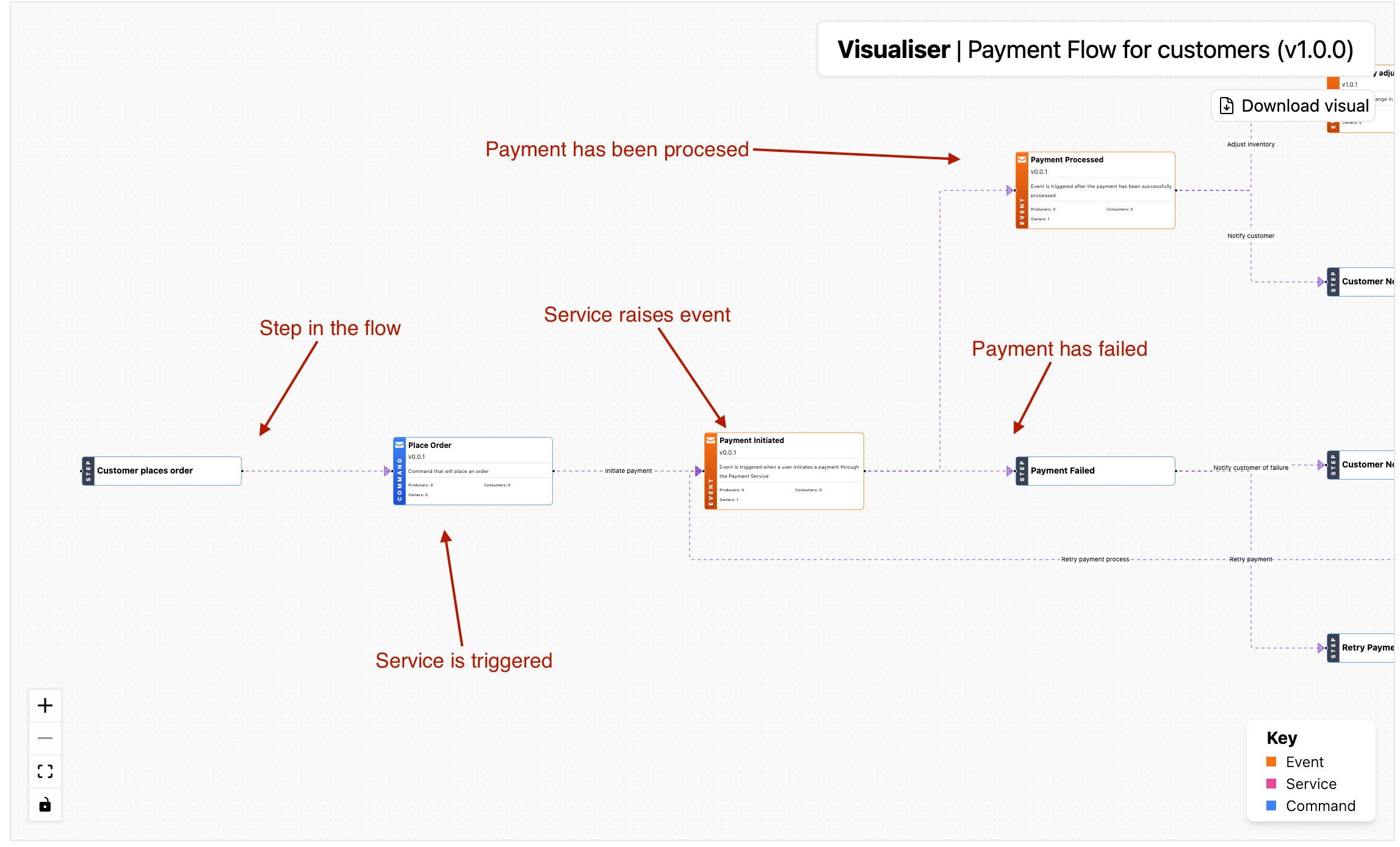
What do flows look like in EventCatalog?