Creating subdomains
eventcatalog@2.34.0Subdomains are optional in EventCatalog but can be a great way to group domains together.
Some organizations have multiple domains, and each domain may have multiple subdomains.
When you add a subdomain to a domain, your users will be able to see the relationship between the domain and subdomain, and be able to navigate between them.
What do subdomains look like in EventCatalog?
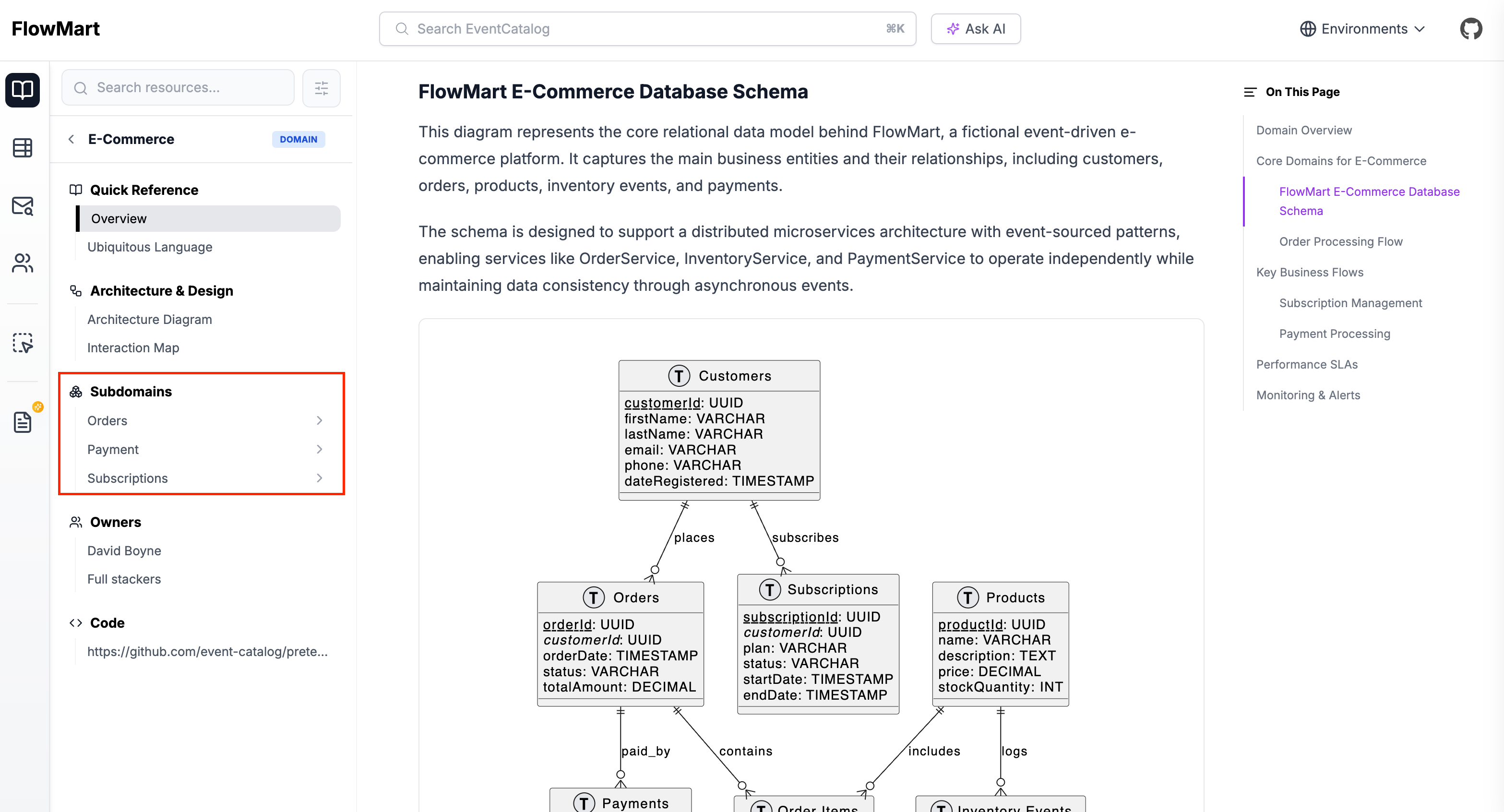
See subdomain example in the EventCatalog Demo.
Domains Visualizer (with subdomains)
When you reference a subdomain from a domain, it will appear in the domains visualizer. You can use the legend to highlight resources that are part of a subdomain.
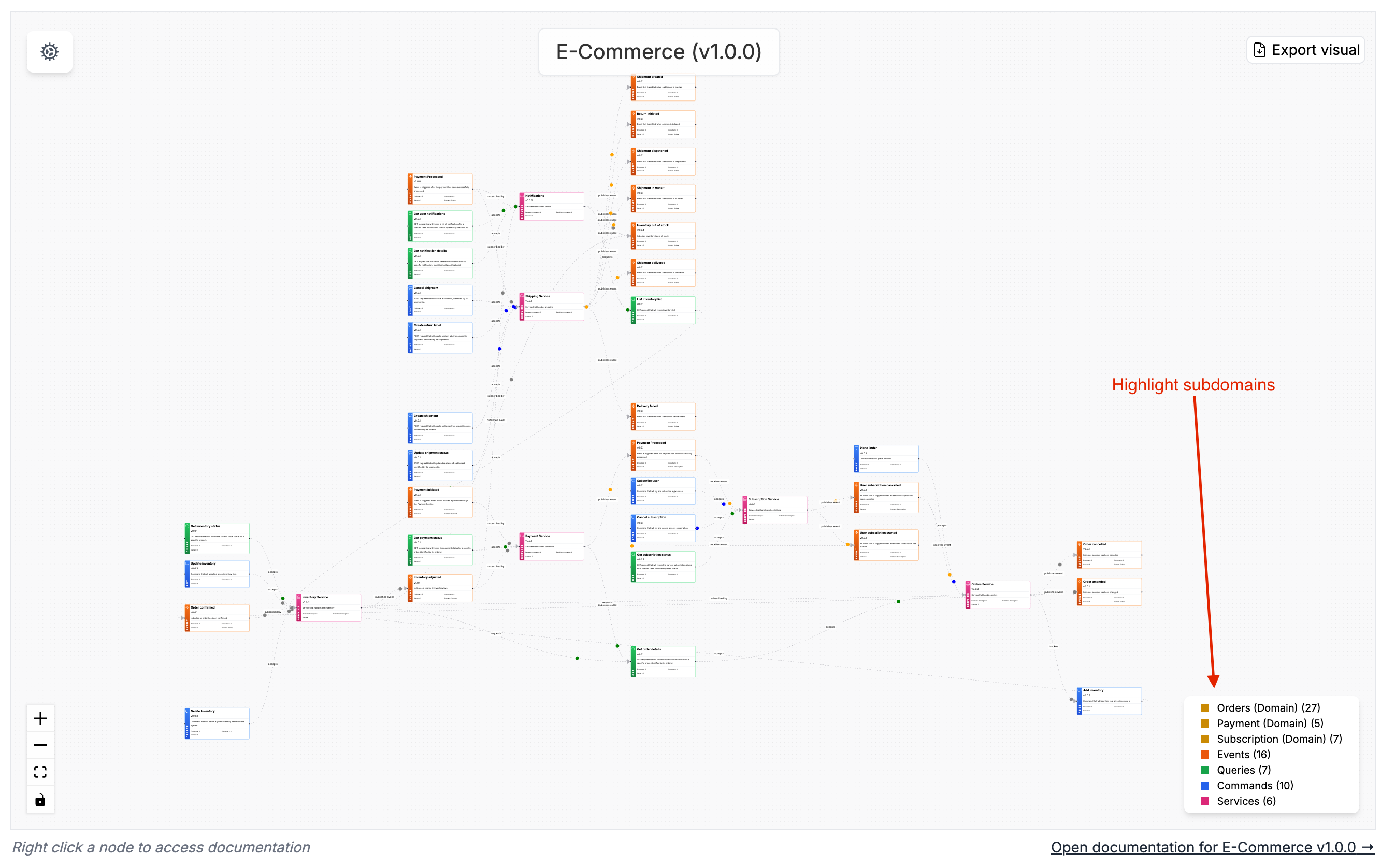
See subdomain example in the EventCatalog Demo.
Adding subdomains
A subdomain is just another domain resource. But a parent domain references the subdomains.
First you need to create your subdomain.
You can create a subdomain in the /domains folder or in a /subdomains folder.
Examples
/domains/MySubDomain/index.mdx- Just like any other domain resource./domains/MyParentDomain/subdomains/MySubDomain/index.mdx- You nest the subdomain within the parent domain. (recommended)
Once you have created your subdomain, you can reference it from your parent domain.
Referencing subdomains
To add a subdomain to a domain you need to reference the subdomain from the domain markdown file.
We do this using the domains property.
In this example we are adding the Orders and Customers subdomains to the Ecommerce domain.
---
id: Ecommerce
name: Ecommerce
version: 0.0.1

# List of subdomains (version is optional)
domains:
  # Here version is given, the latest version of Orders Domain is used.
  - id: Orders
    version: 0.0.1
  # Here version is not given, the latest version of Customers Domain is used.
  - id: Customers
---

## Overview

Ecommerce domain contains all ecommerce related information for FakeCompany.

<NodeGraph />
Once you add the subdomains to the domain, it will now show in the docs, visualizer and discoverability table.