Application Sidebar
The application sidebar is the sidebar that is rendered on every page in EventCatalog.
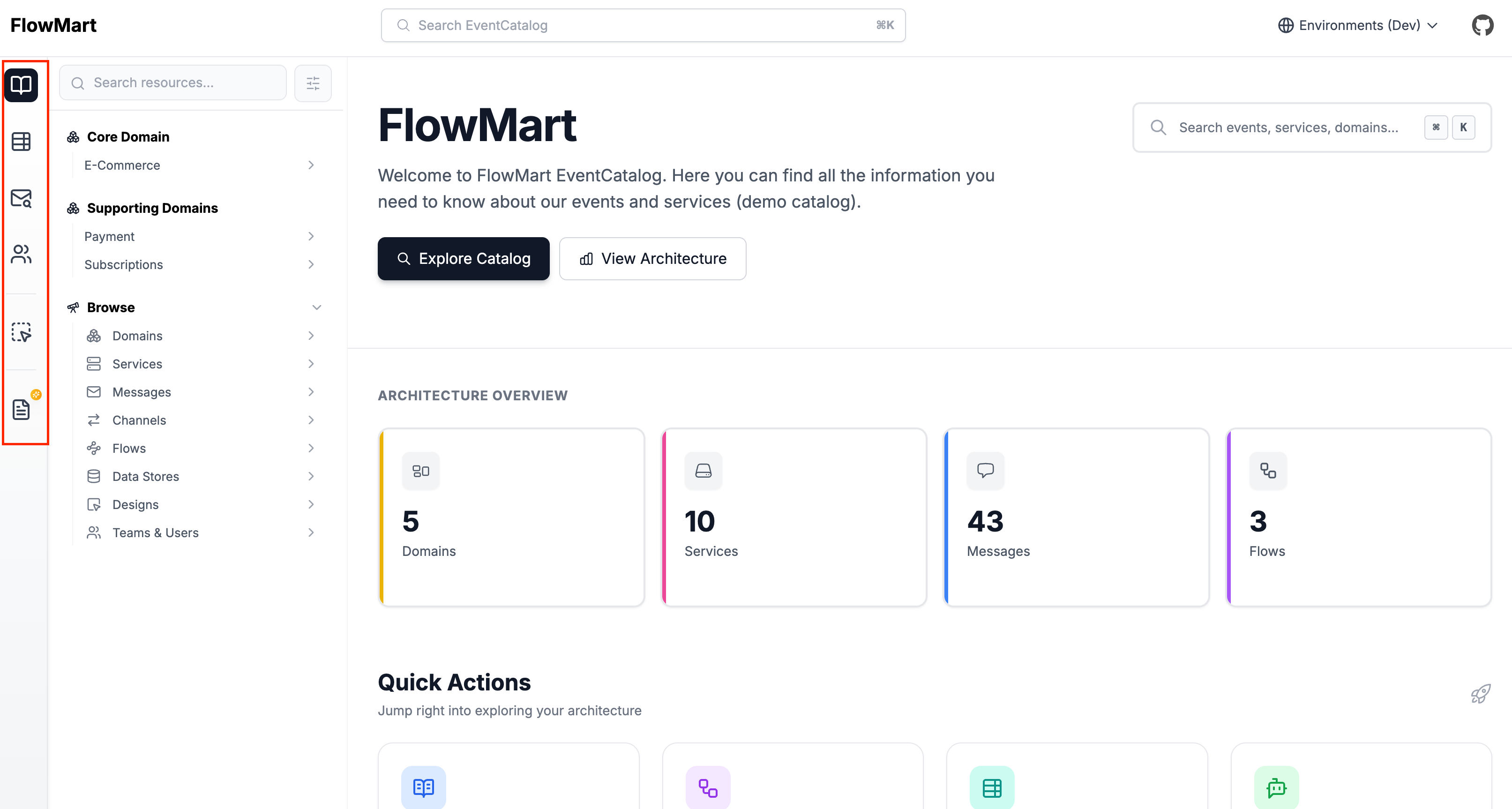
Show/hide items in the application sidebar
You can show or hide items in the application sidebar by using the sidebar property in your eventcatalog.config.js file.
By default, all items is the sidebar are shown.
eventcatalog.config.js
// rest of the config
sidebar: [
  {
    id: '/schemas/explorer',
    // This will hide the Schema Explorer
    visible: false,
  },
]
Options for the sidebar property:
id: The id of the item to hide.visible: Whether to show or hide the item.
| ID | Description |
|---|---|
/ | The home page icon |
/docs | The documentation page icon |
/discover | The discover page icon |
/directory | The users directory page icon |
/studio | The EventCatalog Studio icon |
/schemas/explorer | The schema explorer page |